Loading… 正在加载…
Download AegisClip for Mac
A local-first Mac clipboard manager built for faster paste workflows
Install AegisClip from the Mac App Store to use clipboard history, Auto Paste, tags, batch paste, screenshot tools, OCR, and clean text workflows in one compact app.
- Mac App Store
- 7-day free trial
- No subscription
- Local-first history
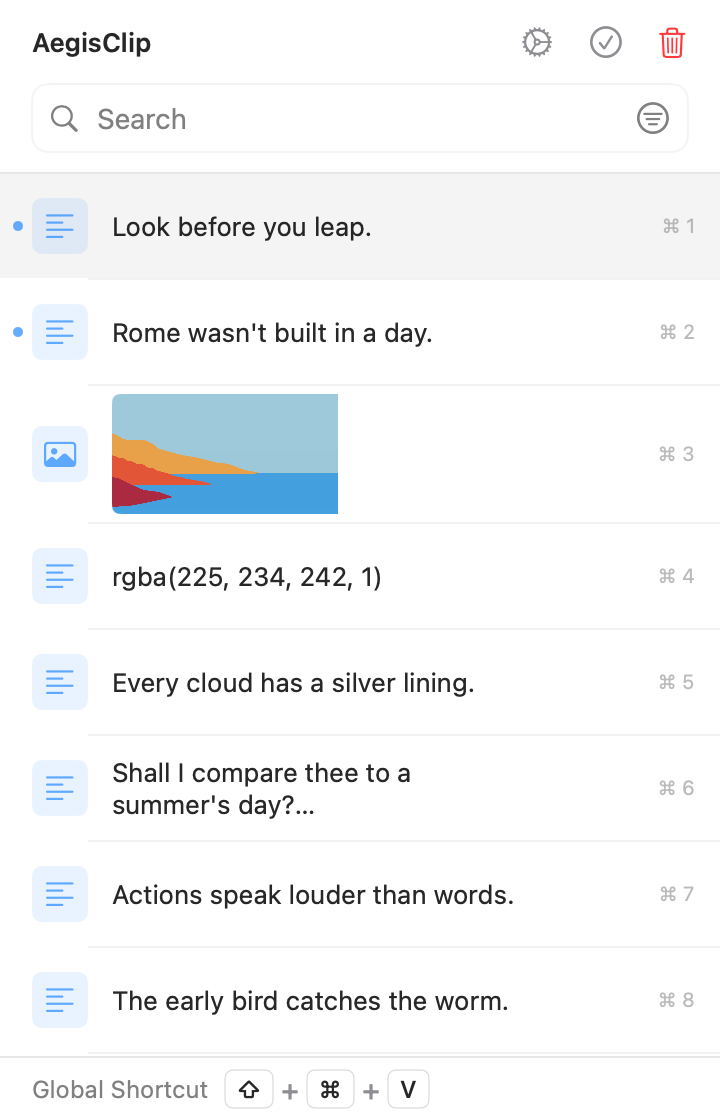
What you get after downloading
AegisClip is designed for people who copy, search, reuse, and paste many clips throughout the day.
Clipboard historyKeep recent and reusable text, links, images, and snippets searchable on your Mac.
Auto PasteSelect a clip and send it directly into the active app with fewer repeated actions.
Search, tags, and filtersRecover the right clip by text, topic, source, type, or workflow instead of scrolling.
Screenshots and OCRCapture, mark up, pin, copy, save, or extract text from screenshots without leaving the workflow.
Before you install
Check compatibility, permissions, pricing, and data handling before opening the App Store.
Compatibility
macOS 12.0 or later. Install through the Mac App Store.
Trial and purchase
Free download with a 7-day full trial. The Full Version is an optional one-time upgrade, and pricing varies by App Store region.
Permissions
Auto Paste uses Accessibility permission. Screenshot workflows may request Screen Recording permission.
Privacy
Clipboard history is designed around local-first storage unless you explicitly export, sync, or send content elsewhere.
What to expect after downloading
Start without paying, test the complete workflow, and decide whether the Full Version is useful for your day-to-day work.
- Download
- Free from the Mac App Store
- Full trial
- 7 days with full history and advanced features
- After the trial
- Access the first 9 history items; other saved history is retained. The optional one-time upgrade unlocks full history and advanced tools.
- Account
- No web account required for core features
Why download from the App Store
Official install path
The App Store listing is the canonical download source for the current release.
Current system details
The App Store shows the latest version, compatibility, privacy labels, and update information.
Clean upgrade path
Start with the trial, then unlock the Full Version when the workflow fits.
Free download with a 7-day free trial and an optional one-time Full Version upgrade. Upgrade price varies by App Store region.
Download on the
App Store
Download FAQ
Where can I download AegisClip for Mac?
Download AegisClip from the Mac App Store. This page points to the official App Store listing for the current release.
Is AegisClip free to download?
Yes. AegisClip is free to download and includes a 7-day free trial. The Full Version is available as an optional one-time upgrade; check the App Store for your regional price.
Does AegisClip require an account?
AegisClip is designed as a local-first Mac clipboard workflow. The core clipboard history and paste features do not need a web account.
What permissions should I expect?
Auto Paste needs macOS Accessibility permission. Screenshot features may need Screen Recording permission because macOS protects screen capture.