Pastebot Alternative: AegisClip vs Pastebot 3 Compared
Looking for a Pastebot alternative? Compare AegisClip and Pastebot 3 with a feature checklist covering filters, Pastebins, Stack, tags, screenshots, OCR, and multi-item paste, plus price, system requirements, and migration. Keep Pastebot for filter chains; try AegisClip for images and organizing.
On this page8 sections
Looking for a Pastebot alternative? Short answer: Pastebot 3's strengths are filters, Pastebins, and Stack, plus iCloud sync and Shortcuts/CLI; AegisClip covers recording, search, paste, and sync, and adds tags and text from images. If you rely on a fixed filter chain, keep Pastebot; for everyday image and content work, try AegisClip.
Quick answer
Choose AegisClip if you…
- Handle screenshots often and need to annotate or extract the text
- Want to organize reusable content by project and purpose
- Paste several items into several places every day
Choose Pastebot if you…
- You need stackable text filters and shortcuts
- You already use Custom / Smart Pastebins and CLI automation
- You prefer a more one-time purchase model
What Pastebot is and who it is for
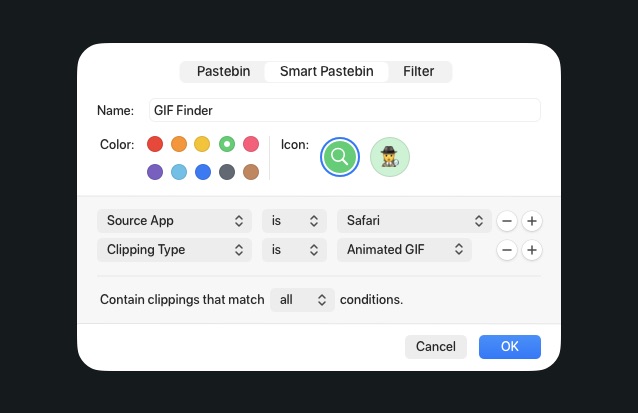
Pastebot 3 is Tapbots' macOS clipboard manager, best known for filters: stack base filters, bind shortcuts, and transform text before pasting with a live before/after preview. It also has history search, Custom / Smart Pastebins, Stack (paste in order), iCloud sync, blacklists, and Shortcuts/CLI. It suits Mac users who repeatedly transform the same text and will pay for automation.
To see the whole category first, read Best Clipboard Manager for Mac and Mac Clipboard Manager.
How the apps differ
Pastebot is about "before paste": pick an item, apply one or more filters, check the result, then paste. The interface centers on filter previews, Pastebins, and Stack, with thorough keyboard control.
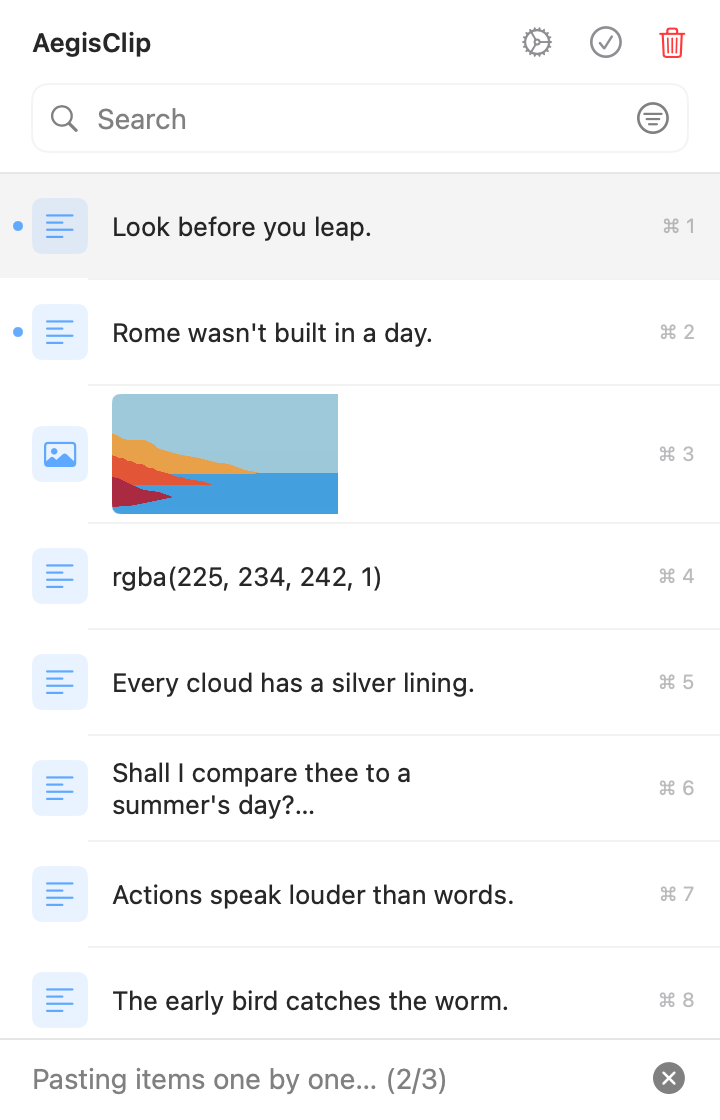
AegisClip is about "after recall": search and filter to find content, preview it, then tag it, edit it, handle the image, and merge or paste in order. One is a text-processing pipeline; the other is a window you organize in.
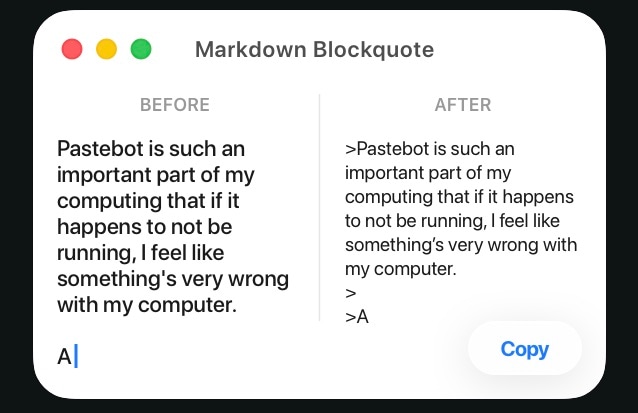
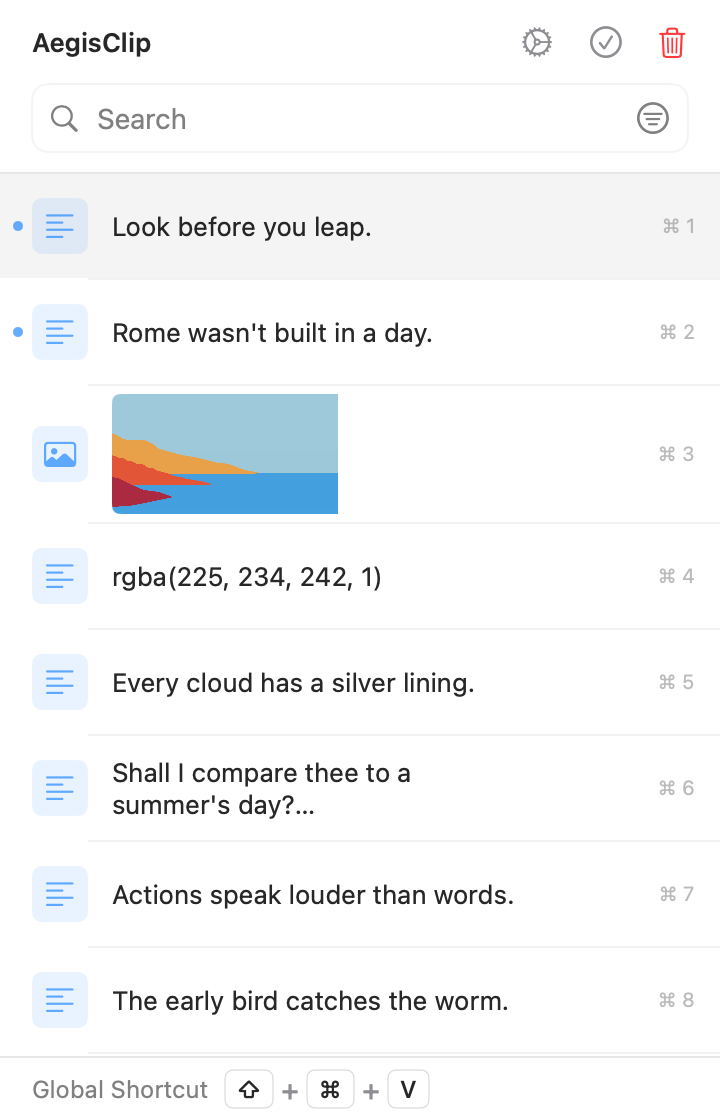
Left: a text-processing pipeline. Right: a window you organize in.
Feature checklist
Here is the full feature list. A check means supported, a cross means not supported, and a dash means partial or limited.
| AegisClip | Pastebot 3 | |
|---|---|---|
| Capture & find | ||
| Text history | ||
| Image and file history | ||
| Keyword search | ||
| Filter by source, date, or type | ||
| Saved clippings (Pastebins) | ||
| Organize | ||
| Several tags on one item | ||
| Text filters / transforms | ||
| Built-in text editing | ||
| Split long text into items | ||
| Paste & output | ||
| Paste directly (simulate Command+V) | ||
| Paste as plain text | ||
| Quick menu near the cursor | ||
| Merge several items into one copy | ||
| Paste several items in order | ||
| Screenshots & images | ||
| Screenshots | ||
| Annotate and blur | ||
| Pin to screen | ||
| Text from images (OCR) | ||
| Privacy & data | ||
| Ignore specific apps (blacklist) | ||
| Pause recording | ||
| Set a history retention period | ||
| Optional iCloud sync | ||
| Automation & license | ||
| Shortcuts / automation and CLI | ||
| Open source | ||
| Free trial | ||
Capture & find
- Text historyAegisClipPastebot 3
- Image and file historyAegisClipPastebot 3
- Keyword searchAegisClipPastebot 3
- Filter by source, date, or typeAegisClipPastebot 3
- Saved clippings (Pastebins)AegisClipPastebot 3
Organize
- Several tags on one itemAegisClipPastebot 3
- Text filters / transformsAegisClipPastebot 3
- Built-in text editingAegisClipPastebot 3
- Split long text into itemsAegisClipPastebot 3
Paste & output
- Paste directly (simulate Command+V)AegisClipPastebot 3
- Paste as plain textAegisClipPastebot 3
- Quick menu near the cursorAegisClipPastebot 3
- Merge several items into one copyAegisClipPastebot 3
- Paste several items in orderAegisClipPastebot 3
Screenshots & images
- ScreenshotsAegisClipPastebot 3
- Annotate and blurAegisClipPastebot 3
- Pin to screenAegisClipPastebot 3
- Text from images (OCR)AegisClipPastebot 3
Privacy & data
- Ignore specific apps (blacklist)AegisClipPastebot 3
- Pause recordingAegisClipPastebot 3
- Set a history retention periodAegisClipPastebot 3
- Optional iCloud syncAegisClipPastebot 3
Automation & license
- Shortcuts / automation and CLIAegisClipPastebot 3
- Open sourceAegisClipPastebot 3
- Free trialAegisClipPastebot 3
Pastebot 3's strengths are filters, Pastebins, and Stack, plus iCloud sync and Shortcuts/CLI; screenshot, annotation, and text recognition are not in its feature set. Check the current version.
Both search, paste directly, output in order, sync, and automate. The real difference: Pastebot transforms text in fixed ways, while AegisClip handles mixed text and images.
When it is worth switching
1. The material has text and screenshots. Support write-ups often mix a chat description, a bug screenshot, and a repro link. Pastebot can store and preview images but has no capture, annotation, or recognition. AegisClip uses Screenshot Enhancement to annotate, blur, and pin, then text from images (OCR) to pull the error code.
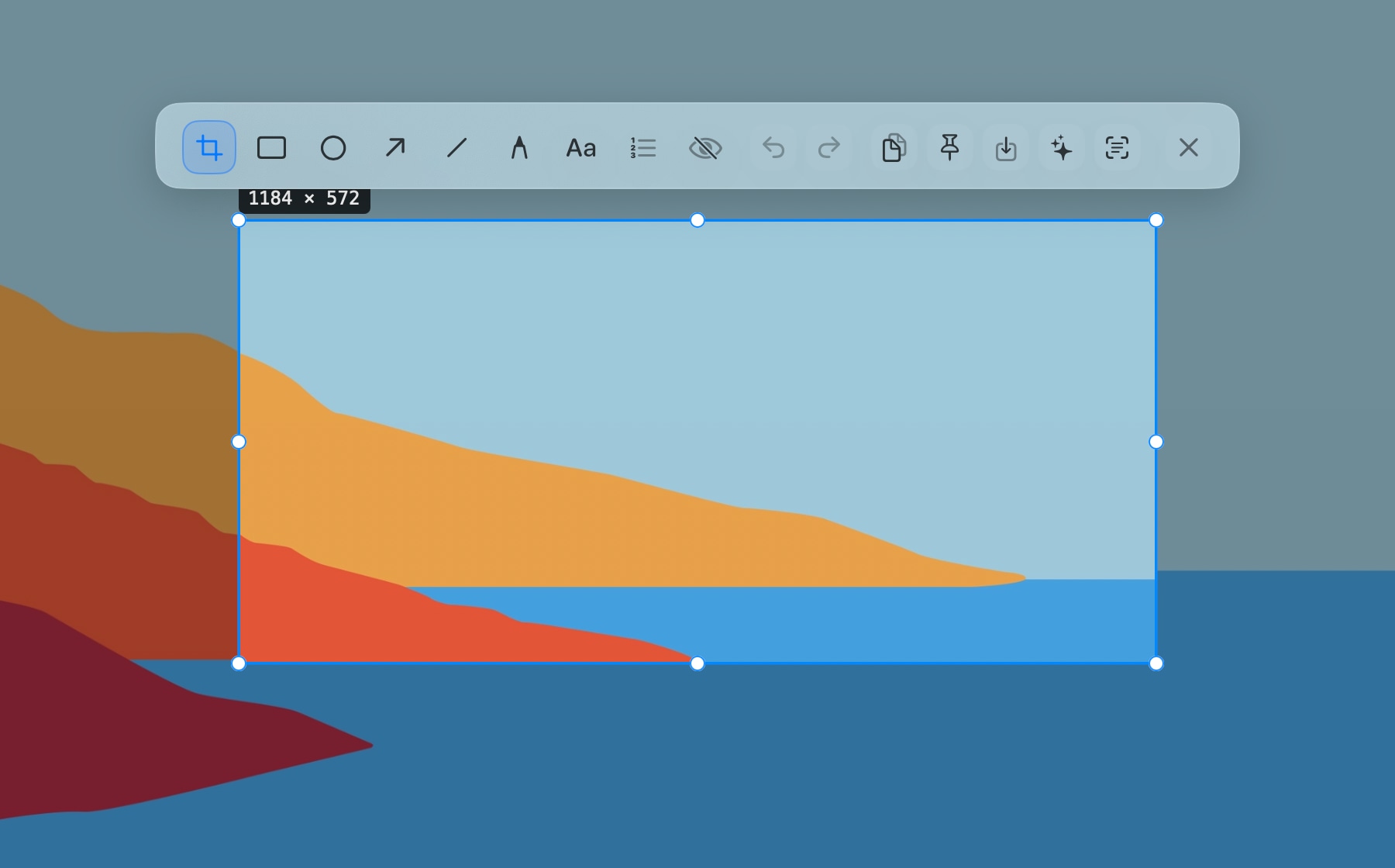
2. An item belongs to both a project and a purpose. Pastebot's Custom Pastebins save frequent clippings and Smart Pastebins filter by rules — good when the conditions are stable. AegisClip's tag management lets you decide purpose: one install note is "Project A," "Support," and "New user" at once, findable from any.
3. Several items, without complex transforms. Both output in order: Pastebot with Stack, AegisClip with Step Paste for 2–30 items; to write one summary, use Copy All. The question is whether you also need a fixed filter on that text.
Migrating from Pastebot to AegisClip
Your most valuable asset is usually not the history count but the filters, shortcuts, and Pastebins you configured. List the few transforms you use daily, then judge whether AegisClip's editing, plain text, splitting, and merging are enough.
- Take a real, non-sensitive snippet and test your most-used transform.
- Extract and annotate text from one screenshot, then file it under one project tag.
- Run one multi-field paste and see whether the shortcuts fit your habits.
- Move a few frequently used clippings first, keeping the old library, rules, and shortcuts until you decide.
AegisClip's CSV and image-folder import/export cannot read Pastebot's filters or smart rules; non-image rows import as plain text, so check rich text and format transforms separately.
Price and system
- AegisClip: free download with a 7-day full trial, then an optional one-time upgrade; macOS 12+. See Free vs Full Version.
- Pastebot 3: $39 direct from Tapbots with one year of updates, then $19 for another year; the App Store is a subscription. Requires macOS 26 Tahoe or later; Pastebot 2 needs a separate check.
Both offer optional iCloud sync; AegisClip keeps history on your Mac by default and needs no account for core features.
Bottom line
If you rely on stacked filters, Pastebins, or CLI, keep Pastebot. But recording, search, in-order paste, and sync are things AegisClip does too, plus tags and text from images. For everyday image and content work, AegisClip is less busywork.
云贴更适合你的三个理由
- Extract text from screenshots, then annotate and pin
- Tag items and find them by purpose
- Merge several items or paste them in order
如果这些是你的硬需求,请保留原工具
- A fixed text filter chain is a hard requirement — keep Pastebot
- You already use Pastebins, Stack, or CLI automation
- You prefer a more one-time purchase model
To try it, start with three small tasks: find one old item, process one screenshot, and fill one multi-field form. Download AegisClip and see. Comparing other tools? Read AegisClip vs Maccy.
FAQ
Is Pastebot a one-time purchase or a subscription?
Both exist. Buying direct from Tapbots is $39 with one year of updates, then $19 for another year of updates; the App Store version is a subscription. It is not one uniform one-time purchase, and one payment does not include all future updates.
What system does Pastebot 3 need?
At the time of checking it requires macOS 26 Tahoe or later; Pastebot 2 still has a download, but its system requirements, pricing, and licensing should be checked separately. AegisClip requires macOS 12 or later.
Does Pastebot support screenshots or OCR?
No. Pastebot 3 can store and preview images but has no screenshot capture, annotation, or text recognition. Use AegisClip or another tool for those.
Can AegisClip replace Pastebot's filters?
Not as a direct equivalent. AegisClip offers editing, plain text, splitting, and merging; if you rely on stacked filters or CLI automation, verify them one by one.
Should I choose Pastebot or AegisClip?
If you repeatedly apply the same text transforms, use Pastebot. If you handle screenshots, organize by purpose, or paste several items at once, AegisClip fits better.
Can I move Pastebot's Pastebins and rules to AegisClip?
No. AegisClip's CSV and image import cannot read Pastebot's filters or smart rules; list the few rules you really rely on and rebuild them in AegisClip.
Download AegisClip
Clipboard · Screenshot OCR · AI Bar — core history stays on your Mac by default.
Free download · 7-day full trial · Optional one-time upgrade.