Best Clipboard Manager for Mac: Choose by What You Paste
Compare the best Mac clipboard managers for free history, image search, shared boards, tags, and multi-item paste. Check limits before switching.
On this page6 sections
For simple recall, start with Spotlight on macOS Tahoe 26 or Maccy. Already use Raycast? Try its clipboard history first. Choose Paste for shared pinboards and history across Apple devices. Consider AegisClip when you need to tag reusable material, work on screenshots, or send several clips into a document or form.
This guide is published by the AegisClip team. Product details were checked against official documentation and AegisClip's implementation on October 12, 2026. These are recommendations by task; we have not conducted comparative performance tests.
Narrow the choice to your daily task
Recover something you copied
- Try Spotlight if you have Tahoe 26.
- Choose Maccy for a focused, open-source history tool.
Keep your existing setup
- Try Raycast history before adding another app.
- Choose Paste for shared pinboards and multiple devices.
Reuse and assemble material
- Try AegisClip for tags, screenshots, and multi-item output.
- Check the search and purchase limits below.
Five useful starting points
| Tool | When it fits | What to check |
|---|---|---|
Spotlight See Mac's built-in clipboard history | Built-in recall: open Spotlight, then press Command + 4 to find and copy an earlier item. | Requires macOS Tahoe 26. Start here if searching and copying recent items is enough. |
Maccy Compare Maccy and AegisClip | A focused, local history list with keyboard control, direct paste, and paste without formatting. | Requires macOS 14+. The official open-source download is free; the App Store channel is paid. |
Raycast | Clipboard search inside the launcher you already use, including image text when Text Recognition is enabled. | Free history lasts up to three months; longer retention requires Pro. Consider whether you want the wider launcher. |
Paste Compare Paste and AegisClip | History across Apple devices, shared pinboards, image-text search, and Paste Stack. | Offers subscriptions and Lifetime. Check device coverage and iPhone capture limits; pinboards and sharing differ from tags. |
AegisClip Check AegisClip's free and full versions | Mac tasks combining tags, screenshot annotation, single-image OCR, merged clips, and prepared sequential paste. | Requires macOS 12+. After the seven-day trial, free access covers the first nine list items. OCR results do not enter main search. |
Choose a candidate, then check its limits
Spotlight
See Mac's built-in clipboard history- When it fits
- Built-in recall: open Spotlight, then press Command + 4 to find and copy an earlier item.
- What to check
- Requires macOS Tahoe 26. Start here if searching and copying recent items is enough.
- When it fits
- A focused, local history list with keyboard control, direct paste, and paste without formatting.
- What to check
- Requires macOS 14+. The official open-source download is free; the App Store channel is paid.
Raycast
- When it fits
- Clipboard search inside the launcher you already use, including image text when Text Recognition is enabled.
- What to check
- Free history lasts up to three months; longer retention requires Pro. Consider whether you want the wider launcher.
- When it fits
- History across Apple devices, shared pinboards, image-text search, and Paste Stack.
- What to check
- Offers subscriptions and Lifetime. Check device coverage and iPhone capture limits; pinboards and sharing differ from tags.
- When it fits
- Mac tasks combining tags, screenshot annotation, single-image OCR, merged clips, and prepared sequential paste.
- What to check
- Requires macOS 12+. After the seven-day trial, free access covers the first nine list items. OCR results do not enter main search.
Other choices with a distinct reason to try them
- CleanClip: its Quick Menu appears near the input cursor. Try it if the paste picker's position matters to you; it also has smart lists and Paste Stack. Check the channel's free-use allowance and license. Compare CleanClip and AegisClip.
- PasteNow: condition-based smart lists suit material you can sort by repeatable rules, with iCloud across Mac and iOS. Check compatibility: the current version requires macOS 15 or iOS 18; older Mac builds are available. Compare PasteNow and AegisClip.
- PastePal: try its screen-edge panel, Quick Mode, and text transforms if those fit how you retrieve clips. The App Store edition includes multiple devices and iCloud; the independent Mac edition is single-Mac without iCloud. Compare PastePal and AegisClip.
- Pastebot: choose it when repeatable text transformations need combined filters. Pastebot 3 requires macOS 26; purchase terms differ between direct and App Store channels. Older-version reviews may mislead. Compare Pastebot and AegisClip.
- CopyClip: the free original is a menu-bar text history list; paid CopyClip 2 adds search, pinning, and editing. Both handle text, so they suit people who do not need image history. Compare CopyClip and AegisClip.
- Clipy: its menu-based Snippets library suits stable reusable phrases arranged in folders. The free, open-source 1.3.0 release supports Apple Silicon and requires macOS 13+. Compare Clipy and AegisClip.
Four differences worth checking
Search image text, or extract it once?
Finding an old screenshot by an error message inside it requires image-text search. Paste supports this; Raycast does with Text Recognition enabled. AegisClip's local OCR extracts editable text from one image, but the result does not automatically become searchable in its main history.
One combined output, or several fields?
Copy All combines selected content for one destination. Step Paste prepares 2–30 items to paste in order. Paste Stack can collect new copies for sequential output. Test how you build and review a queue; a shared feature name does not guarantee the same operation.
What remains after the trial?
Check accessible history, retention, system requirements, and purchase terms together. AegisClip's optional upgrade is a one-time purchase; inaccessible history beyond the first nine list items remains stored. Raycast's free retention and Maccy's purchase channels have different limits. Prices vary by storefront.
What does “local” actually mean?
Local storage does not guarantee encryption or prevent optional network actions. AegisClip stores history locally without app-level encryption; iCloud sync is optional and off by default. Check ignored apps, deletion, and sync settings before collecting sensitive content.
Where AegisClip helps, and where it does not
Suppose you answer support requests: tag a fix by product and issue, retrieve it later, and paste it without formatting. Combine several references into one reply, or prepare separate values for form fields. For an image-based error, extract its text; for an explanation, annotate the screenshot.
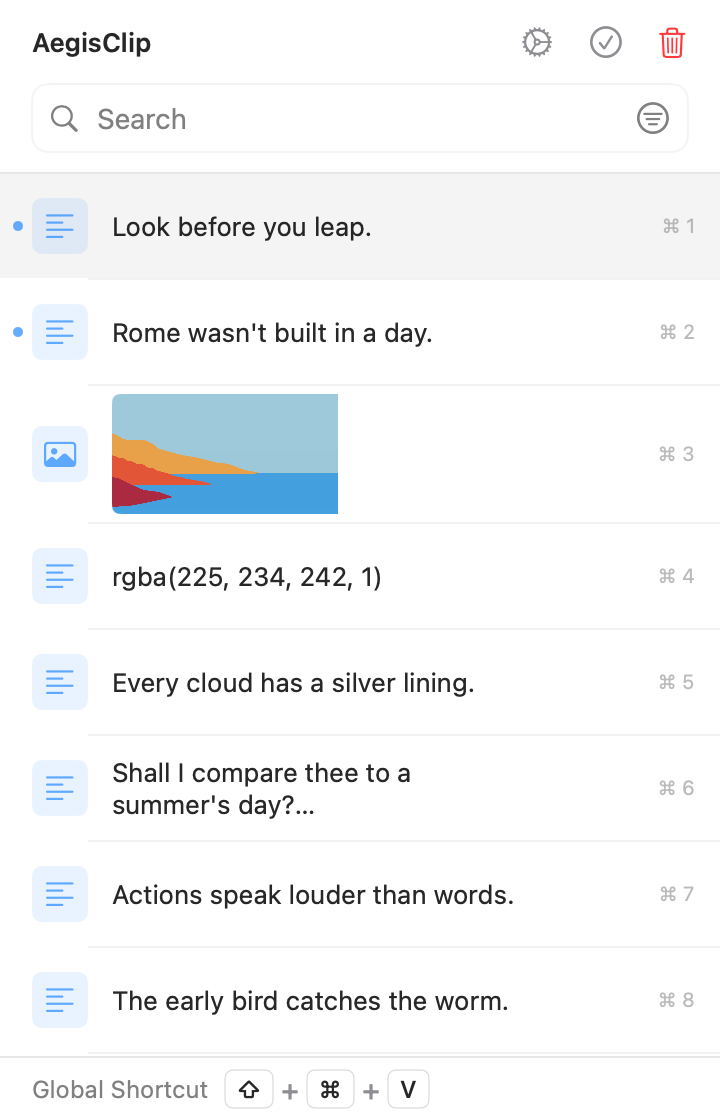
If simple recall already works, an upgrade may add little. Prefer another candidate when shared pinboards, a cursor menu, fixed filter chains, or searching words inside old images are your main requirement. AegisClip's optional sync does not make every device capture every copy automatically.
Try one real task before migrating
- Copy a reply, a link, formatted text, and a screenshot using non-sensitive examples from your usual apps. Find them later by the clues you remember.
- Reuse the reply and paste text into your real editor. Check formatting, focus, and any Accessibility permission required for direct paste.
- Combine several clips into one note, then paste separate values into form fields. Check order and how you stop or correct the sequence.
- Test ignored apps, deletion, retention, and any sync you need. Read the post-trial limits before paying.
Keep your original library while testing. AegisClip's CSV and image-folder import is not a universal migration format: non-image rows become plain text, and collections, rules, formatting, and shortcuts may need rebuilding. Move a small useful sample first.
FAQ
Which Mac clipboard managers are free?
Spotlight clipboard history is built into macOS Tahoe 26. Maccy has a free official open-source download; its App Store edition is paid. Raycast includes up to three months of history for free. AegisClip has a seven-day trial, then free access to the first nine items in the list.
Can I search for words inside old screenshots?
Paste supports searching image text. Raycast does too when Text Recognition is enabled. AegisClip extracts text from an individual image with local OCR, but that result does not automatically enter its main history search.
Can I avoid a subscription?
Yes. Maccy has a free open-source channel, AegisClip offers an optional one-time upgrade, and Paste has a Lifetime plan as well as subscriptions. Check device coverage, purchase terms, and your local storefront.
Will my existing clipboard library transfer intact?
Do not assume it will. AegisClip uses a CSV and image-folder package; non-image imports become plain text. Other apps' collections, formatting, filter rules, and shortcuts may need rebuilding. Test a small sample and keep your original library.
Download AegisClip
Clipboard · Screenshot OCR · AI Bar — core history stays on your Mac by default.
Free download · 7-day full trial · Optional one-time upgrade.