CleanClip Alternative: AegisClip vs CleanClip Compared
Looking for a CleanClip alternative? Compare AegisClip and CleanClip with a feature checklist covering the cursor Quick Menu, Paste Stack, tags, screenshots, OCR, and multi-item paste, plus price, sync, and migration. If you mainly organize Mac content, try AegisClip; if you depend on the Quick Menu, stay with CleanClip.
On this page8 sections
Looking for a CleanClip alternative? Short answer: CleanClip's signature is its Quick Menu at the cursor; AegisClip opens a window with a shortcut, pastes just as fast, and adds tags, text from images, and multi-item paste. If the cursor menu is essential, stay with CleanClip; if you want the clipboard to become a place you organize in, try AegisClip.
Quick answer
Choose AegisClip if you…
- Reuse what you recall by organizing, editing, or reshaping it
- Handle screenshots often and need to annotate or extract the text
- Paste several items into several places every day
Choose CleanClip if you…
- Value the Quick Menu that pops up at the cursor
- Already rely on its collections and smart lists
- Mainly paste quickly
What CleanClip is and who it is for
CleanClip is a macOS clipboard manager built around a Quick Menu that appears near the text cursor: trigger it with a shortcut, type a keyword or press a number key, and paste without leaving the keyboard. It also offers collections, smart lists, Paste Stack (paste in order), and Split Copy (split a multi-line block into items). To see the whole category first, read Best Clipboard Manager for Mac and Mac Clipboard Manager.
How the apps differ
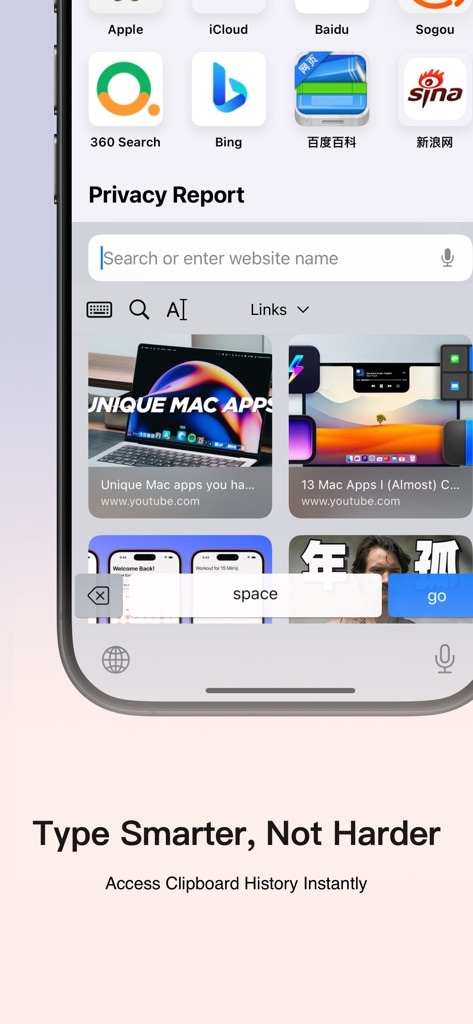
CleanClip's menu appears right where you are typing, select, and paste, barely interrupting your hands — that is where it invests the most.
AegisClip opens a separate window with a shortcut — centered by default, or set to "follow the mouse" so it appears near the pointer. Search and filters sit on top, the list previews each item, and once you find something you can tag it, edit it, handle the image, then merge or paste in order. One is anchored to the insertion point; the other is find-and-organize.
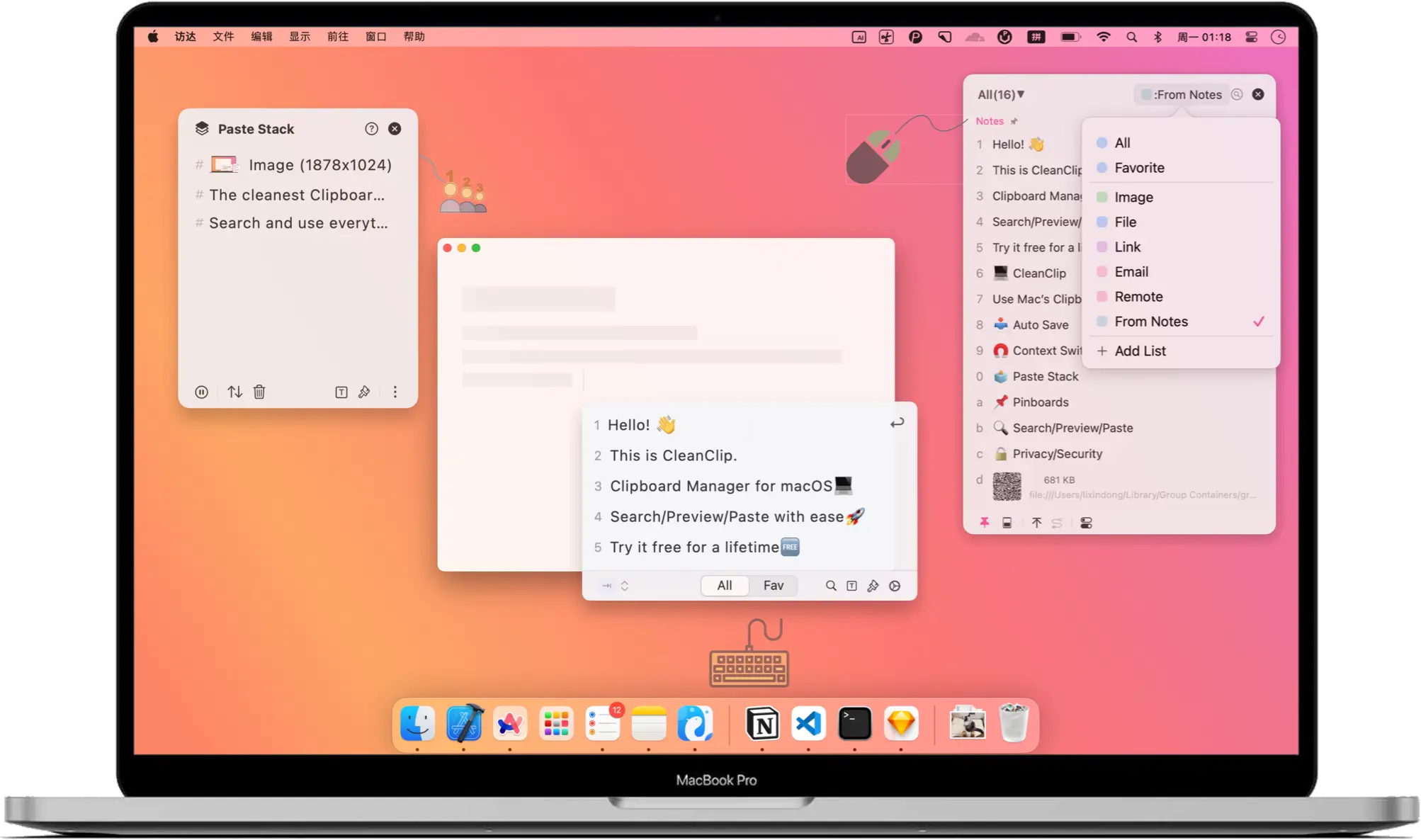
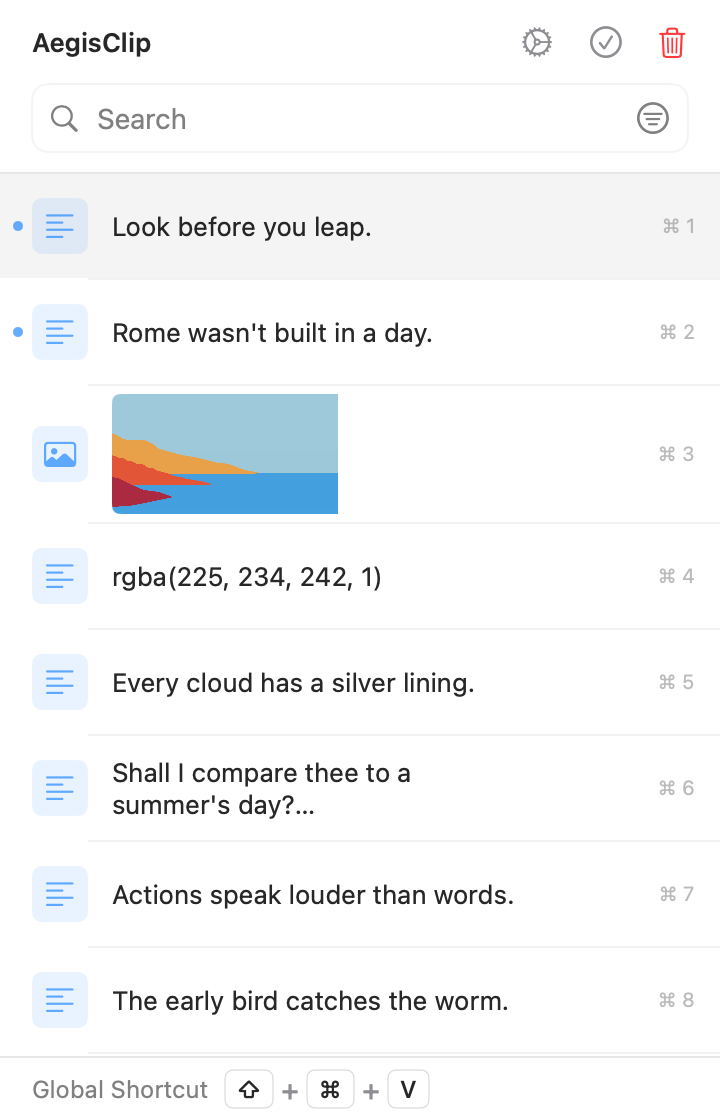
Left: anchored to the insertion point. Right: a workspace you find and organize in — its window can also follow the mouse.
Feature checklist
Here is the full feature list. A check means supported, a cross means not supported, and a dash means partial or limited.
| AegisClip | CleanClip | |
|---|---|---|
| Capture & find | ||
| Text history | ||
| Image and file history | ||
| Keyword search | ||
| Filter by source, date, or type | ||
| Pin / favorite | ||
| Organize | ||
| Several tags on one item | ||
| Drag to reorder pins | ||
| Built-in text editing | ||
| Split long text into items | ||
| Paste & output | ||
| Paste directly (simulate Command+V) | ||
| Paste as plain text | ||
| Window can follow the mouse | ||
| Menu at the text insertion point | ||
| Merge several items into one copy | ||
| Paste several items in order | ||
| Screenshots & images | ||
| Screenshots | ||
| Annotate and blur | ||
| Pin to screen | ||
| Text from images (OCR) | ||
| QR code recognition | ||
| Privacy & data | ||
| Ignore sensitive sources (such as password managers) | ||
| Pause recording | ||
| Set a history retention period | ||
| Import / export | ||
| Optional iCloud sync | ||
| Price & license | ||
| Free to use | ||
| Shortcuts / automation | ||
Capture & find
- Text historyAegisClipCleanClip
- Image and file historyAegisClipCleanClip
- Keyword searchAegisClipCleanClip
- Filter by source, date, or typeAegisClipCleanClip
- Pin / favoriteAegisClipCleanClip
Organize
- Several tags on one itemAegisClipCleanClip
- Drag to reorder pinsAegisClipCleanClip
- Built-in text editingAegisClipCleanClip
- Split long text into itemsAegisClipCleanClip
Paste & output
- Paste directly (simulate Command+V)AegisClipCleanClip
- Paste as plain textAegisClipCleanClip
- Window can follow the mouseAegisClipCleanClip
- Menu at the text insertion pointAegisClipCleanClip
- Merge several items into one copyAegisClipCleanClip
- Paste several items in orderAegisClipCleanClip
Screenshots & images
- ScreenshotsAegisClipCleanClip
- Annotate and blurAegisClipCleanClip
- Pin to screenAegisClipCleanClip
- Text from images (OCR)AegisClipCleanClip
- QR code recognitionAegisClipCleanClip
Privacy & data
- Ignore sensitive sources (such as password managers)AegisClipCleanClip
- Pause recordingAegisClipCleanClip
- Set a history retention periodAegisClipCleanClip
- Import / exportAegisClipCleanClip
- Optional iCloud syncAegisClipCleanClip
Price & license
- Free to useAegisClipCleanClip
- Shortcuts / automationAegisClipCleanClip
CleanClip's signature is the Quick Menu at the text insertion point, plus Paste Stack; AegisClip's window can follow the mouse. Screenshots and text recognition are not in CleanClip's official feature list. Check both products' current versions.
Both cover the basics of recording, search, favorites, and in-order paste. The difference: AegisClip keeps organizing and reworking content, while CleanClip moves the paste entry point next to the cursor.
When it is worth switching
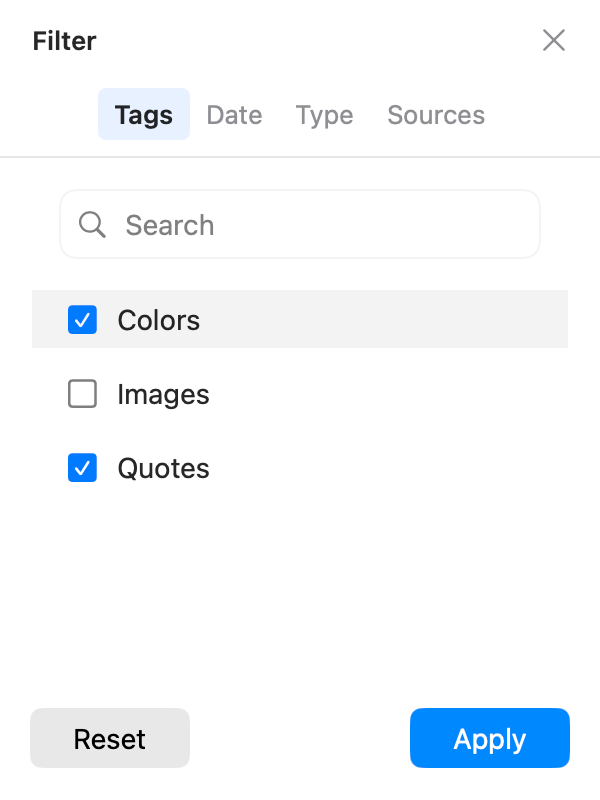
1. Many reusable replies, found by project and purpose. CleanClip's collections and smart lists suit stable categories, but an item usually belongs to one list. AegisClip's tag management lets one reply carry both "Project A" and "Support," so you can find it either way.
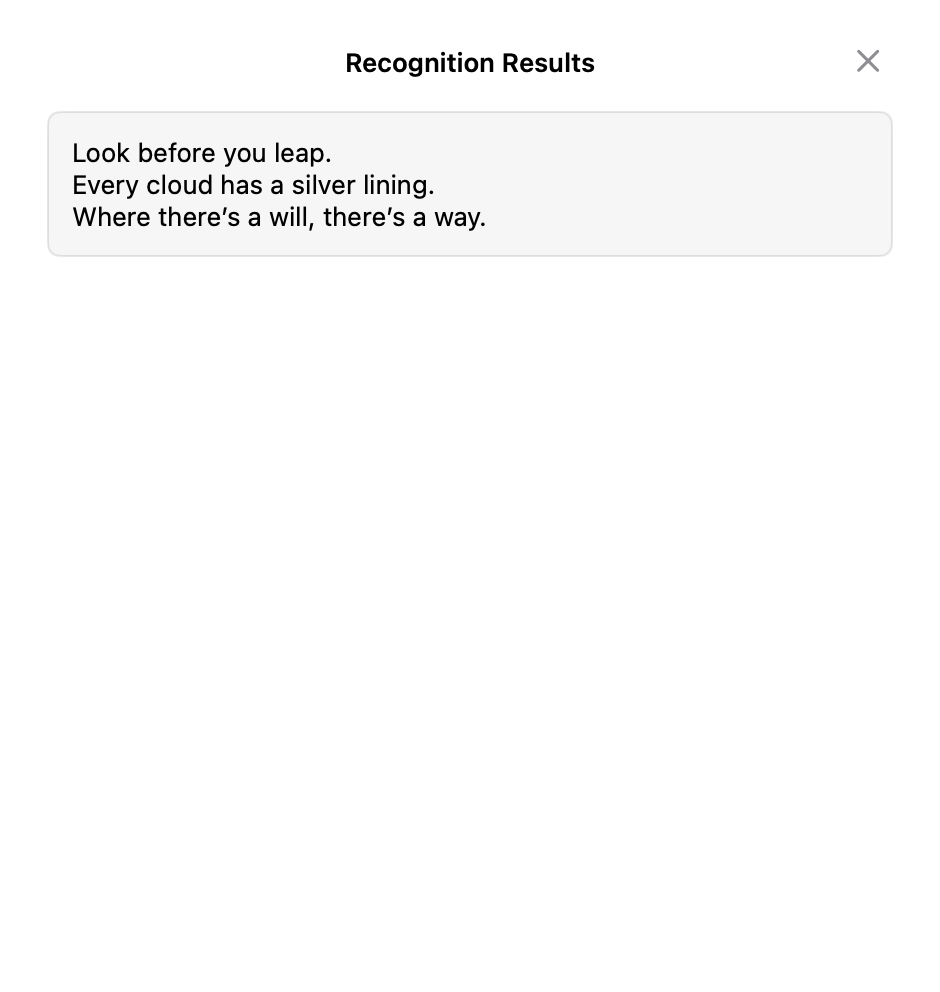
2. You need the text inside an image. For error screenshots, lecture slides, or QR codes, CleanClip has no capture or recognition; AegisClip uses text from images (OCR) to recognize it, and Screenshot Enhancement to annotate and pin.
3. Several items to spread out or merge. AegisClip lets you pick 2–30 items and paste them in order with Step Paste; to put several into one document, use Copy All. CleanClip's Paste Stack is great for temporary queues; AegisClip is better at reusing existing history.
Migrating from CleanClip to AegisClip
CleanClip's collections do not move in one click, and you usually only migrate the few dozen items you keep reusing.
- Pick the replies, links, and snippets you still reuse in CleanClip.
- Rebuild purpose tags in AegisClip and pin the handful you use most.
- Search the same items in both tools and see which lookup feels faster.
- Give the two tools different global shortcuts and keep CleanClip until the trial ends.
AegisClip migrates content with Import / Export (CSV plus an image folder). It is not a universal database format, and non-image rows import as plain text, so test a small sample first.
Price and system
- AegisClip: free download with a 7-day full trial, then an optional one-time upgrade. After the trial, the most recent 9 items stay accessible. macOS 12+. See Free vs Full Version.
- CleanClip: the website leads with free use, and the App Store version offers a Pro upgrade, plus iCloud sync and an iOS app; check the official page for current entitlements and system requirements.
AegisClip keeps history on your Mac by default and offers optional iCloud sync; both need Accessibility permission to paste directly.
Bottom line
If the Quick Menu at the cursor is essential, keep CleanClip. But fast pasting, favorites, and in-order paste are things AegisClip does too, plus tags, text from images, and multi-item paste. If you want less busywork, use AegisClip.
云贴更适合你的三个理由
- Tag items and find them by purpose instead of scrolling
- Extract text from screenshots, then annotate and pin
- Merge several items or paste them in order
如果这些是你的硬需求,请保留原工具
- The menu must sit at the text insertion point — keep CleanClip
- You already rely on CleanClip's collections and smart lists
- You mainly paste quickly
To try it, start with three small tasks: find one old item, process one screenshot, and fill one multi-field form. Download AegisClip and see. Comparing other tools? Read AegisClip vs Maccy.
FAQ
Is CleanClip free?
CleanClip's website leads with free use, and the App Store version offers a Pro upgrade. Check the official page for current prices and entitlements rather than reading 'free' at face value.
Does CleanClip support OCR and screenshots?
It does not lead with them. CleanClip's official feature list has no screenshot capture, annotation, or text recognition. To pull text out of an image, use AegisClip or another tool.
Does CleanClip support iCloud sync and iOS?
Yes. CleanClip lists an iOS version, and its App Store page shows sync. AegisClip offers optional iCloud sync; this comparison focuses on the Mac version.
Should I choose CleanClip or AegisClip?
If you depend on the Quick Menu near the cursor, keep CleanClip. If you also want to tag material, extract text from screenshots, and paste several items at once, AegisClip fits better.
How do I migrate CleanClip collections to AegisClip?
There is no direct import. CleanClip's collections do not move in one step; move a small set of frequently used items and rebuild purpose tags in AegisClip using its CSV and image import.
I only paste quickly. Do I need to switch?
No. CleanClip's cursor menu and Paste Stack are great for fast pasting. Consider AegisClip when you start organizing material or handling screenshots.
Download AegisClip
Clipboard · Screenshot OCR · AI Bar — core history stays on your Mac by default.
Free download · 7-day full trial · Optional one-time upgrade.