Clipy Alternative: AegisClip vs Clipy Compared
Looking for a Clipy alternative? Compare AegisClip and Clipy with a feature checklist covering the history menu, Snippets, tags, screenshots, OCR, and multi-item paste, plus open source, system requirements, and migration. If a menu of snippets is enough, Clipy works; for organizing and screenshots, try AegisClip.
On this page8 sections
Looking for a Clipy alternative? Short answer: Clipy keeps history and reusable snippets in a menu — light, capable, and MIT open source; AegisClip records and pastes too, and adds tags, text from images, and multi-item paste. If a menu of snippets is enough, Clipy works; if you want the clipboard to become material you organize, try AegisClip.
Quick answer
Choose AegisClip if you…
- Reuse what you recall by organizing, editing, or reshaping it
- Handle screenshots often and need to annotate or extract the text
- Paste several items into several places every day
Choose Clipy if you…
- You already have a Snippets library that works for you
- You need open source you can inspect or change
- You mainly call up history and snippets
What Clipy is and who it is for
Clipy is a macOS clipboard extension: a shortcut opens a menu where you view copy history and save reusable text as Snippets. It is MIT-licensed open source, maintained since 2015, resumed development in 2026, and now supports Apple Silicon. It suits Mac users who like a menu-based snippet library and care about open source. To see the whole category first, read Best Clipboard Manager for Mac and Mac Clipboard Manager.
How the apps differ
Clipy opens a menu: history is grouped, and Snippets live in fixed folders. The structure is clear and suits "open the folder, pick an item."
AegisClip opens a window with a shortcut: search and filters on top, preview in the list, and once you find something you can tag it, edit it, handle the image, then merge or paste in order. One is a menu-based snippet library; the other is a window you find and organize in.
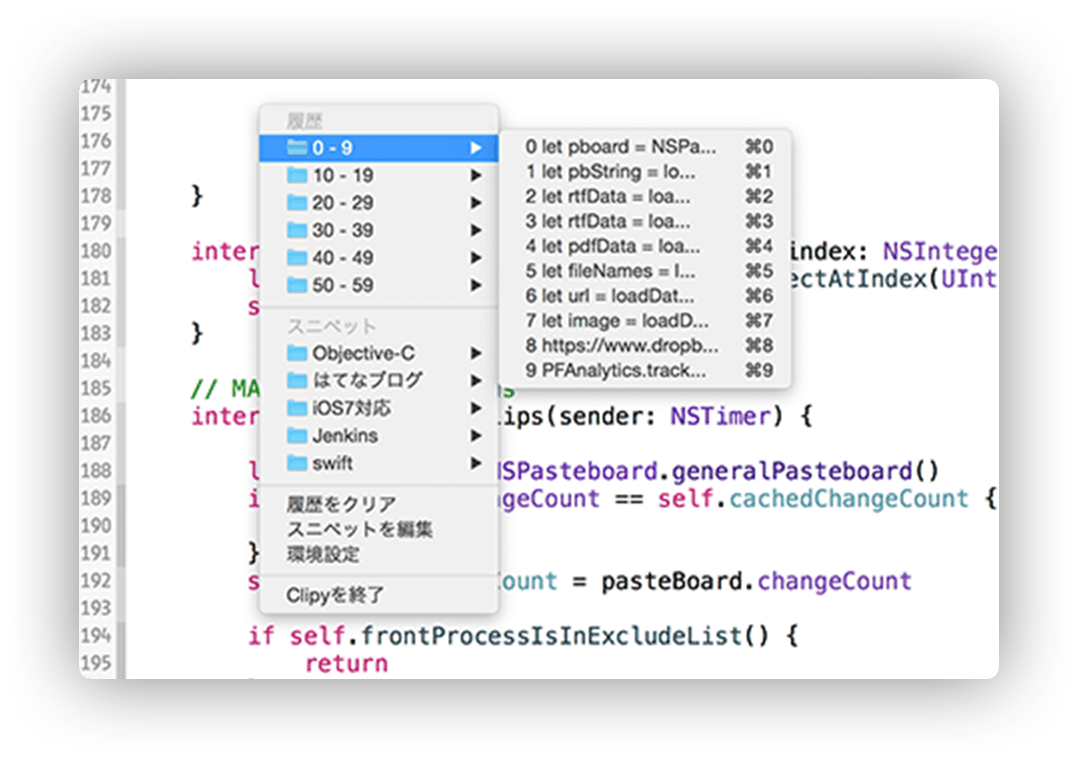
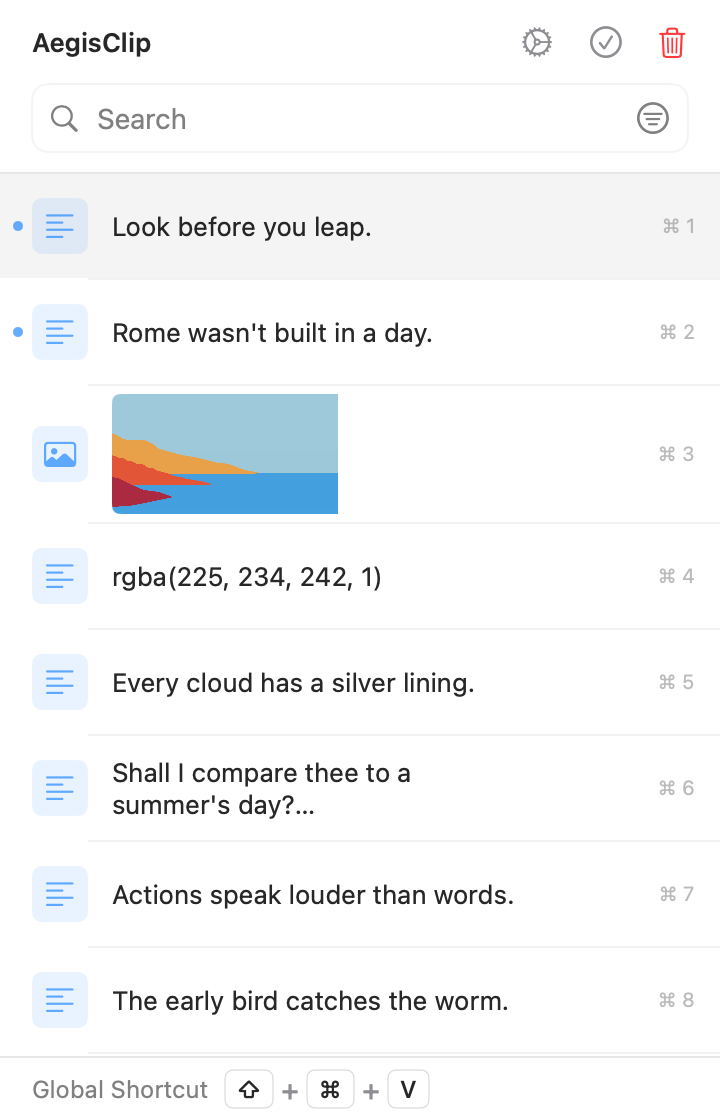
Left: a menu-based snippet library. Right: a workspace you find and organize in.
Feature checklist
Here is the full feature list. A check means supported, a cross means not supported, and a dash means partial or limited.
| AegisClip | Clipy | |
|---|---|---|
| Capture & find | ||
| Text history | ||
| Image history | ||
| Keyword search | ||
| Filter by source, date, or type | ||
| Pin items | ||
| Organize | ||
| Saved snippets | ||
| Several tags on one item | ||
| Built-in text editing | ||
| Split long text into items | ||
| Paste & output | ||
| Paste directly from the menu | ||
| Merge several items into one copy | ||
| Paste several items in order | ||
| Screenshots & images | ||
| Screenshots | ||
| Annotate and blur | ||
| Pin to screen | ||
| Text from images (OCR) | ||
| Privacy & data | ||
| Ignore specific apps | ||
| Pause recording | ||
| Set a history retention period | ||
| Import / export | ||
| Optional iCloud sync | ||
| Price & license | ||
| Open source | ||
| Free to use | ||
| Shortcuts / automation | ||
Capture & find
- Text historyAegisClipClipy
- Image historyAegisClipClipy
- Keyword searchAegisClipClipy
- Filter by source, date, or typeAegisClipClipy
- Pin itemsAegisClipClipy
Organize
- Saved snippetsAegisClipClipy
- Several tags on one itemAegisClipClipy
- Built-in text editingAegisClipClipy
- Split long text into itemsAegisClipClipy
Paste & output
- Paste directly from the menuAegisClipClipy
- Merge several items into one copyAegisClipClipy
- Paste several items in orderAegisClipClipy
Screenshots & images
- ScreenshotsAegisClipClipy
- Annotate and blurAegisClipClipy
- Pin to screenAegisClipClipy
- Text from images (OCR)AegisClipClipy
Privacy & data
- Ignore specific appsAegisClipClipy
- Pause recordingAegisClipClipy
- Set a history retention periodAegisClipClipy
- Import / exportAegisClipClipy
- Optional iCloud syncAegisClipClipy
Price & license
- Open sourceAegisClipClipy
- Free to useAegisClipClipy
- Shortcuts / automationAegisClipClipy
Clipy's public release (1.3.0) covers history, images, Snippets, menu shortcuts, and ignored apps; OCR has started on the development branch but is not released. Check the official version.
Both record, search, and paste quickly. The difference: Clipy turns reusable text into snippets in a menu, while AegisClip keeps organizing and reworking content.
When it is worth switching
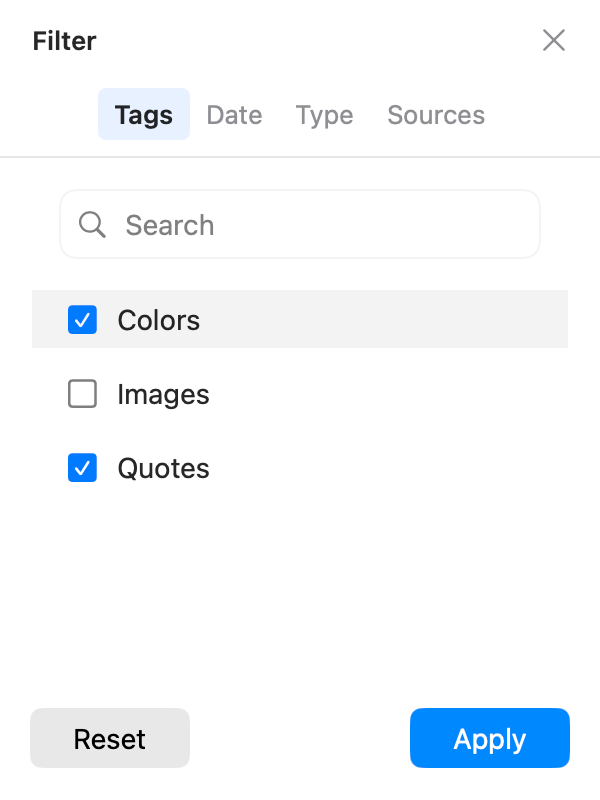
1. Snippets need to span projects and purposes. Clipy's Snippets folders suit stable, clearly scoped items. But one passage might belong to a project and a support flow at once, and a single folder may not match how you search. AegisClip's tag management lets one item carry both "Project A" and "Support," findable either way.
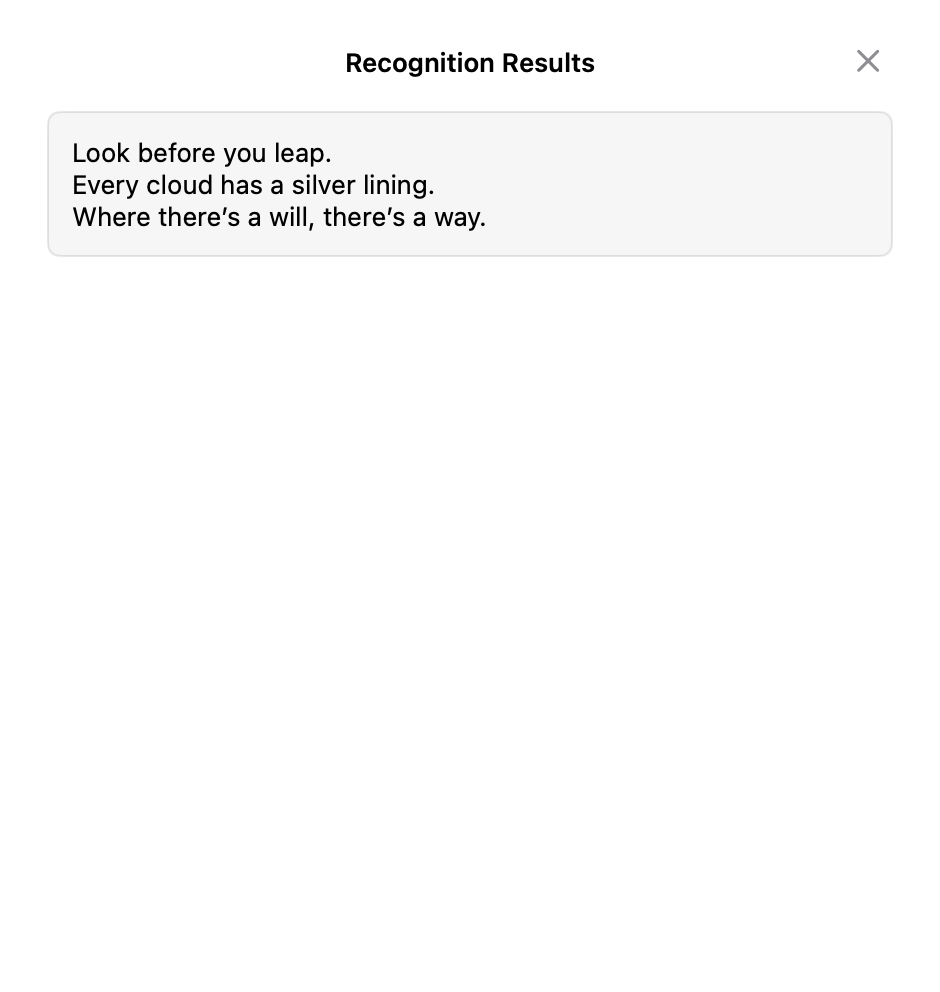
2. The material is a screenshot. Notes, tutorials, and support replies often need an error code or QR link pulled from an image. Clipy's public release has no capture or recognition; AegisClip uses text from images (OCR) to recognize it, and Screenshot Enhancement to annotate and pin.
3. Several items to spread out or merge. AegisClip lets you pick 2–30 items and paste them in order with Step Paste; to put several into one document, use Copy All. Clipy is built around calling up one item.
Migrating from Clipy to AegisClip
What you lose in a move is the classification habit, not the text. Note your Snippets folder structure, shortcuts, and high-frequency items, then decide what becomes a tag and what gets pinned.
- Pick 10 snippets you still use and assign project or purpose tags in AegisClip.
- Retrieve them the way you normally remember them and check whether the categories feel right.
- Extract text from one screenshot and run one multi-field paste to see if the new abilities pay off.
- Give the two tools different global shortcuts and keep Clipy until the trial ends.
AegisClip migrates content with Import / Export (CSV plus an image folder). It is not a universal database format, and non-image rows import as plain text, so test a small sample first.
Price and system
- AegisClip: free download with a 7-day full trial, then an optional one-time upgrade. After the trial, the most recent 9 items stay accessible. macOS 12+. See Free vs Full Version.
- Clipy: MIT open source and free, from its website or GitHub; requires macOS 13 or later.
AegisClip keeps history on your Mac by default and offers optional iCloud sync; both need Accessibility permission to paste directly.
Bottom line
If a menu of history and snippets is enough, Clipy is great. But what Clipy does, AegisClip also does, plus tags, text from images, and multi-item paste. If you want less busywork, use AegisClip.
云贴更适合你的三个理由
- Tag items and find them by purpose instead of folders
- Extract text from screenshots, then annotate and pin
- Merge several items or paste them in order
如果这些是你的硬需求,请保留原工具
- Open source is a hard requirement — keep Clipy
- You already rely on a Snippets library and do not want to change
- You mainly call up history and snippets
To try it, start with three small tasks: find one old item, process one screenshot, and fill one multi-field form. Download AegisClip and see. Comparing other tools? Read AegisClip vs Maccy.
FAQ
Is Clipy free and open source?
Yes. Clipy is MIT-licensed with public source code, and you can download a released build from its website or GitHub for free.
Do I need to compile Clipy myself?
No. Clipy ships released builds; the repository build instructions are for development and customization. Regular users install the official release.
Does Clipy support OCR or screenshots?
The public release does not support screenshot capture or text recognition. OCR has started to appear on the development branch but is not released yet; check the official release.
Does Clipy sync through iCloud?
No. Clipy is built around local use and has no built-in iCloud or cross-device sync. For sync, use a tool such as AegisClip with optional iCloud.
Should I choose Clipy or AegisClip?
If a menu of history and snippets is enough, use Clipy. If you also want to tag material, pull text out of screenshots, and paste several items at once, AegisClip fits better.
Can I move Clipy Snippets into AegisClip?
There is no direct import. Note your snippet folders and shortcuts and rebuild tags in AegisClip from a small set. AegisClip imports its own CSV and image folder, and non-image rows become plain text.
Download AegisClip
Clipboard · Screenshot OCR · AI Bar — core history stays on your Mac by default.
Free download · 7-day full trial · Optional one-time upgrade.