PastePal Alternative: AegisClip vs PastePal Compared
Looking for a PastePal alternative? Compare AegisClip and PastePal with a feature checklist covering the edge panel, Quick Mode, screen text capture, Queue, tags, screenshot annotation, and multi-item paste, plus price, sync, and migration. Keep PastePal for the panel and transforms; try AegisClip for Mac image and content work.
On this page8 sections
Looking for a PastePal alternative? Short answer: PastePal is feature-rich — an edge panel, Quick Mode, screen text capture, Queue, 50+ text transforms, and iCloud across devices. AegisClip also organizes, captures text, pastes in order, and syncs, with a Mac focus on image and content work, plus screenshot annotation and pinning. Keep PastePal for the panel and transforms; for task-focused organizing, try AegisClip.
Quick answer
Choose AegisClip if you…
- Screenshots need annotation, redaction, or pinning, not just text
- You want several purpose tags on one item
- You merge several items into one piece of material
Choose PastePal if you…
- You like the edge panel and Quick Mode
- You rely on fixed text transforms
- You need Mac, iPhone, and iPad together
What PastePal is and who it is for
PastePal is a native clipboard manager for Mac, iPhone, and iPad: pull a panel from any screen edge, cycle with Quick Mode, and use collections, Queue, screen text capture, 50+ text transforms, allow/ignore lists, and iCloud sync. It is a one-time purchase with no subscription and polished system integration. It suits Apple users who will configure it and like using a panel and shortcuts.
How the apps differ
PastePal puts the entry point at the screen edge: move the pointer over or press a shortcut to pull out a panel, pick a clip, and paste. The main window shows all history in a grid, filterable by app, type, or collection.
AegisClip opens a window with a shortcut: search and filters on top, preview in the list, and once you find something you can tag it, edit it, handle the image, then merge or paste in order. One leans toward "grab from the edge"; the other toward "find and organize as you go."
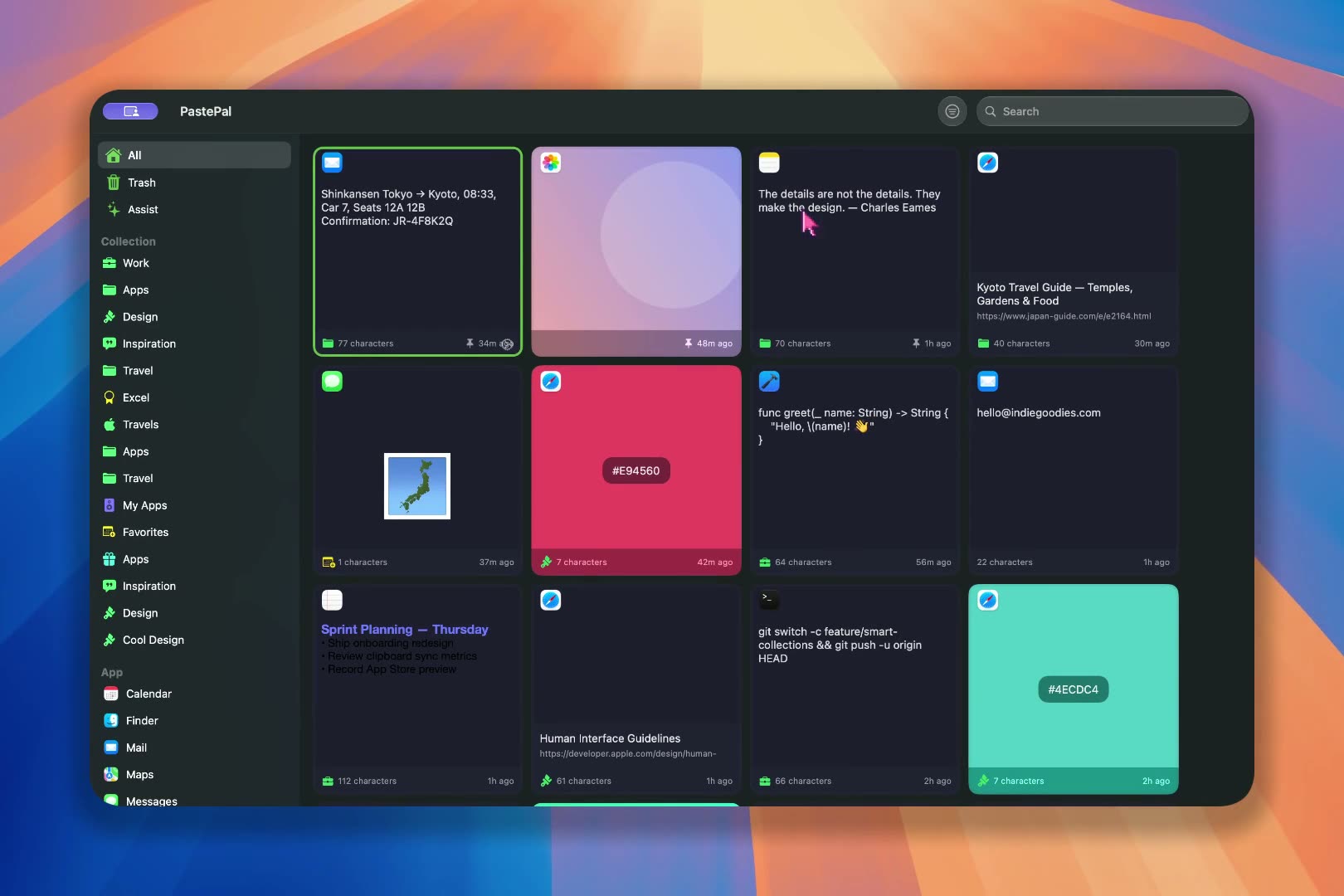
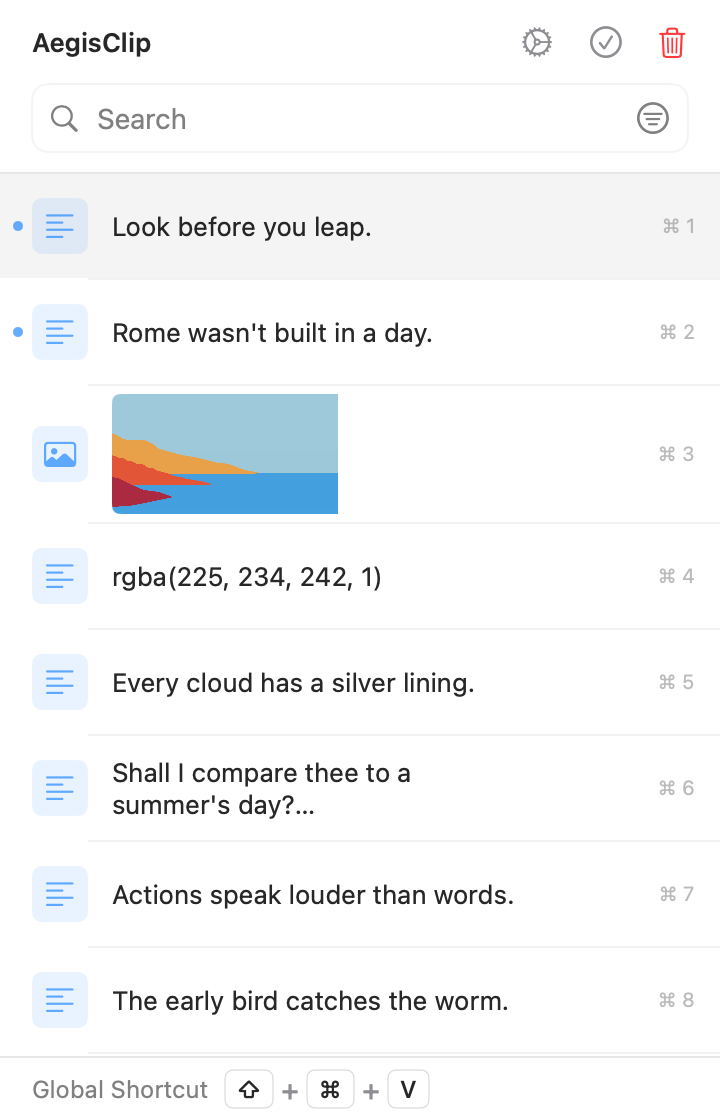
Left: edge access and a grid. Right: a workspace you find and organize in.
Feature checklist
Here is the full feature list. A check means supported, a cross means not supported, and a dash means partial or limited.
| AegisClip | PastePal | |
|---|---|---|
| Capture & find | ||
| Text history | ||
| Image and file history | ||
| Keyword search | ||
| Filter by source, type, or collection | ||
| Pin items | ||
| Organize | ||
| Several tags on one item | ||
| Collections | ||
| Built-in text editing | ||
| Fixed text transforms | ||
| Split long text into items | ||
| Paste & output | ||
| Paste directly (simulate Command+V) | ||
| Paste as plain text | ||
| Edge panel / quick access | ||
| Merge several items into one copy | ||
| Paste several items in order | ||
| Screenshots & images | ||
| Screenshots | ||
| Annotate and blur | ||
| Pin to screen | ||
| Text from images (OCR) | ||
| Privacy & data | ||
| Allow / ignore lists | ||
| Pause recording | ||
| Set a history retention period | ||
| Optional iCloud sync | ||
| Cross-device & license | ||
| iOS app / cross-device use | ||
| Open source | ||
| One-time purchase | ||
Capture & find
- Text historyAegisClipPastePal
- Image and file historyAegisClipPastePal
- Keyword searchAegisClipPastePal
- Filter by source, type, or collectionAegisClipPastePal
- Pin itemsAegisClipPastePal
Organize
- Several tags on one itemAegisClipPastePal
- CollectionsAegisClipPastePal
- Built-in text editingAegisClipPastePal
- Fixed text transformsAegisClipPastePal
- Split long text into itemsAegisClipPastePal
Paste & output
- Paste directly (simulate Command+V)AegisClipPastePal
- Paste as plain textAegisClipPastePal
- Edge panel / quick accessAegisClipPastePal
- Merge several items into one copyAegisClipPastePal
- Paste several items in orderAegisClipPastePal
Screenshots & images
- ScreenshotsAegisClipPastePal
- Annotate and blurAegisClipPastePal
- Pin to screenAegisClipPastePal
- Text from images (OCR)AegisClipPastePal
Privacy & data
- Allow / ignore listsAegisClipPastePal
- Pause recordingAegisClipPastePal
- Set a history retention periodAegisClipPastePal
- Optional iCloud syncAegisClipPastePal
Cross-device & license
- iOS app / cross-device useAegisClipPastePal
- Open sourceAegisClipPastePal
- One-time purchaseAegisClipPastePal
PastePal's strengths are the edge panel, Quick Mode, 50+ text transforms, Queue, screen text capture, and iCloud across devices; it does not annotate screenshots, pin them, or merge multiple items. Check the current version.
Both search, edit, capture text, paste in order, and sync across devices — both are capable. The difference: PastePal leans on a panel and fixed transforms, while AegisClip organizes around tasks and folds screenshot handling in.
When it is worth switching
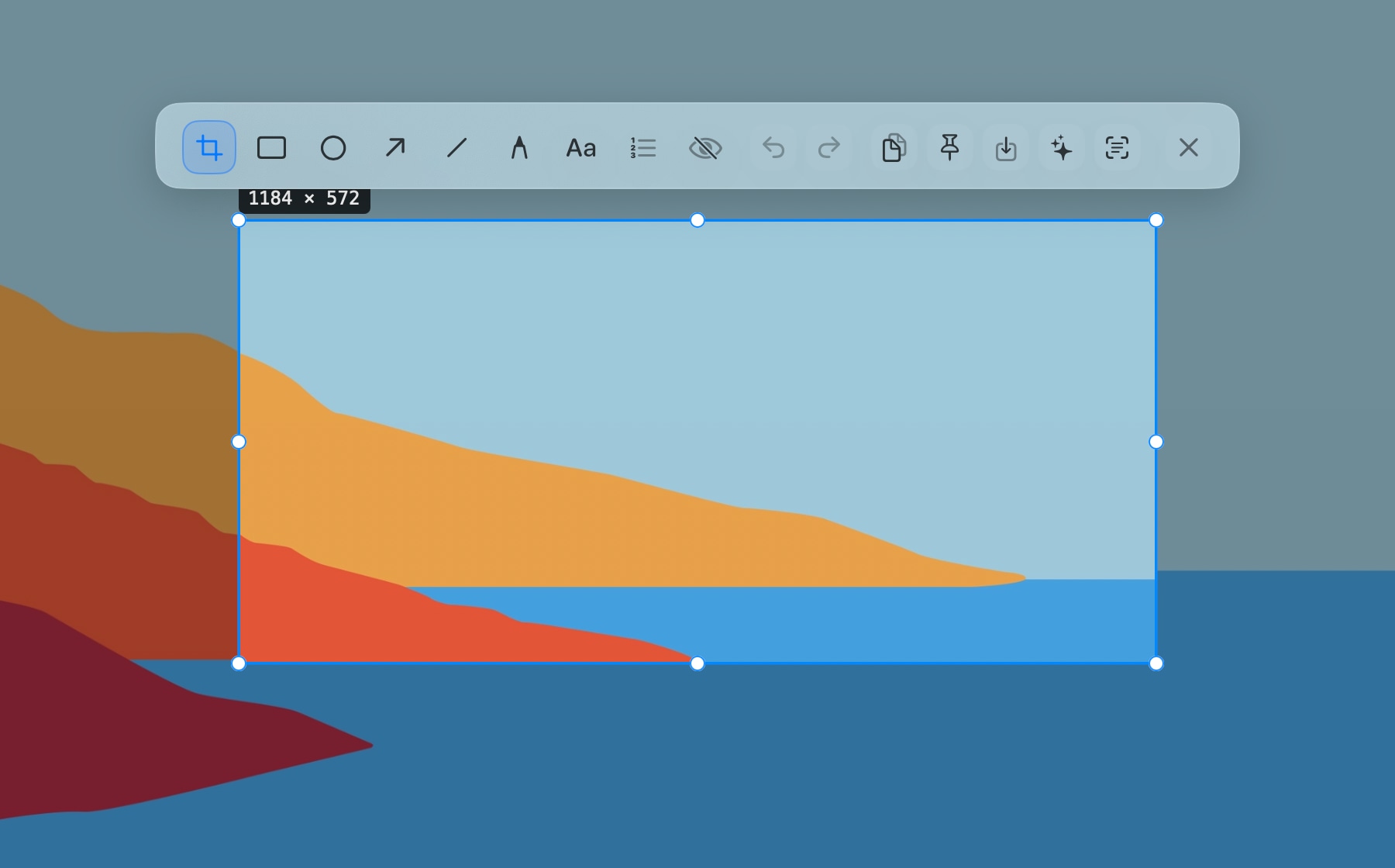
1. Screenshots need more than text. PastePal's screen capture saves recognized text to history, but it does not annotate, redact, or pin the screenshot itself. When writing a how-to, AegisClip uses Screenshot Enhancement to circle, blur, and pin the image, then text from images (OCR) to pull the text.
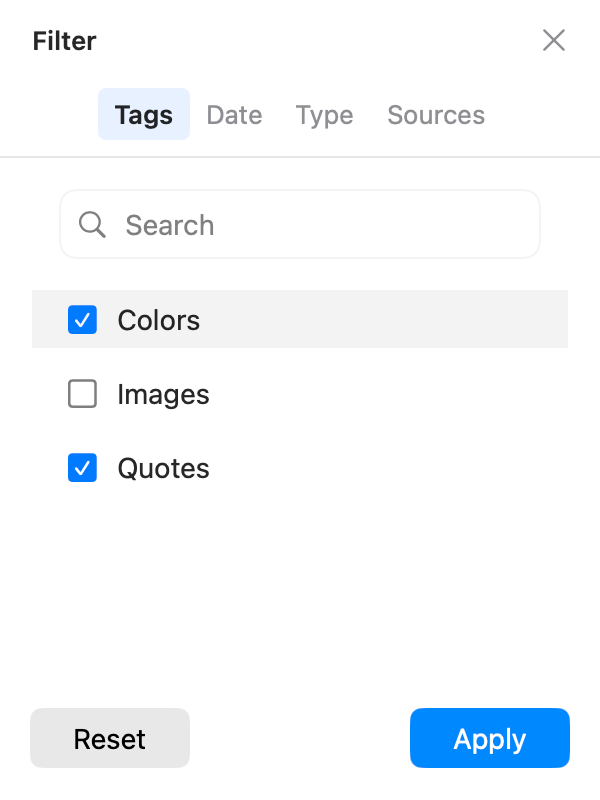
2. One item belongs to several purposes. PastePal groups with collections, and an item usually sits in one. AegisClip's tag management lets one refund reply be "Project A," "Support," and "English" at once, findable from any tag without duplicates.
3. Several items to merge or split. Both paste in order — PastePal with Queue, AegisClip with Step Paste for 2–30 items. To write one summary, AegisClip uses Copy All; a long passage can be split into items and recomposed.
Migrating from PastePal to AegisClip
Confirm which edition you use, then migrate frequently used items and keep the old library.
- Pick 10 frequently used items and assign project or purpose tags in AegisClip.
- Retrieve them the way you normally remember them and check whether the categories feel right.
- Extract and annotate text from one screenshot, then run one multi-field paste to confirm the new abilities.
- Give the two tools different global shortcuts and keep PastePal until the trial ends.
AegisClip migrates content with Import / Export (CSV plus an image folder); non-image rows import as plain text, so test a small sample first.
Price and system
- AegisClip: free download with a 7-day full trial, then an optional one-time upgrade; macOS 12+. See Free vs Full Version.
- PastePal: a one-time purchase with no subscription. The App Store edition covers Mac, iPhone, and iPad with iCloud; the indie Mac edition on the developer site is for a single Mac. System requirements depend on the channel.
AegisClip keeps history on your Mac by default and offers optional iCloud sync; both need Accessibility permission to paste directly.
Bottom line
If you rely on the edge panel, Quick Mode, or fixed transforms, keep PastePal. But search, text capture, in-order paste, and sync are things AegisClip does too, plus screenshot annotation, pinning, and merge. For task-focused Mac image and content work, AegisClip is less busywork.
云贴更适合你的三个理由
- Annotate, redact, and pin screenshots, not just capture text
- Tag items and find them by purpose
- Merge several items or paste them in order
如果这些是你的硬需求,请保留原工具
- The edge panel or Quick Mode is a hard requirement — keep PastePal
- You rely on 50+ fixed text transforms
- You already lean on PastePal's collections and settings
To try it, start with three small tasks: find one old item, process one screenshot, and fill one multi-field form. Download AegisClip and see. Comparing other tools? Read AegisClip vs Maccy.
FAQ
Does PastePal capture text from the screen?
Yes. PastePal lets you drag over a screen area, recognizes the text, and saves it to history. It does not annotate screenshots or pin them to the screen.
Does PastePal annotate screenshots or pin them?
No. PastePal can capture text and store images, but it has no screenshot capture, annotation, blur, or pinning. Use AegisClip for those.
Is PastePal a one-time purchase or a subscription?
PastePal is a one-time purchase with no subscription, and the developer says future updates are included. Check official sources for current pricing and channels.
What is the difference between the App Store and indie editions of PastePal?
The App Store edition covers Mac, iPhone, and iPad with iCloud sync; the indie Mac edition on the developer site is for a single Mac and excludes mobile and iCloud. Confirm the channel before buying.
Should I choose PastePal or AegisClip?
For the edge panel, Quick Mode, or fixed text transforms, use PastePal. For organizing image and text by project and purpose, with screenshot annotation and text capture, AegisClip fits better.
Can I move PastePal collections into AegisClip?
There is no direct import. The groupings mean different things, so move a small set and rebuild tags in AegisClip; non-image content imports as plain text.
Download AegisClip
Clipboard · Screenshot OCR · AI Bar — core history stays on your Mac by default.
Free download · 7-day full trial · Optional one-time upgrade.